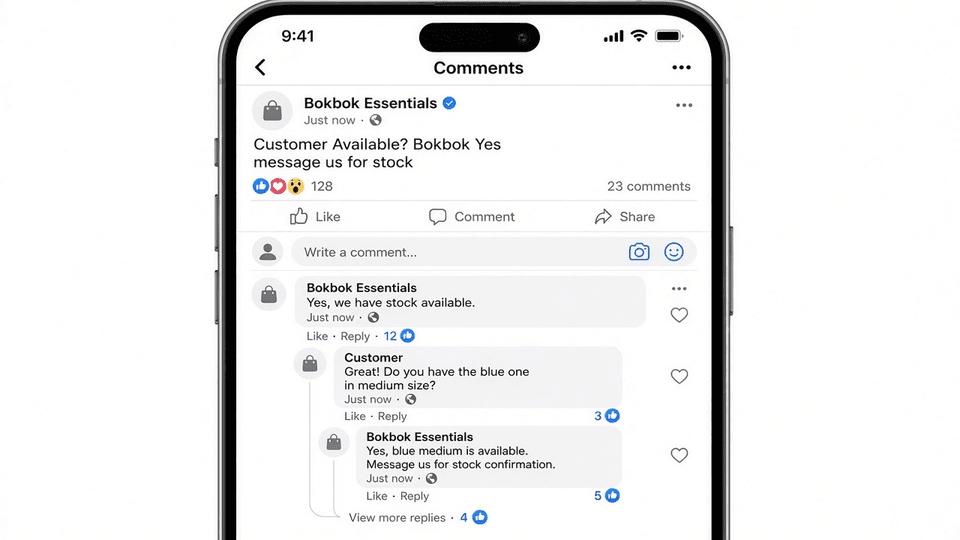
Comment Automation with BOKBOK: Reply to Post Comments Faster
A popular post can bring dozens of “Price?” and “Is this available?” comments in minutes. BOKBOK comment automation helps you reply faster under Facebook and Instagram posts so interested people get answers instead of waiting.
Related guide: Comment Automation with BOKBOK
What Comment Automation helps with
Turn post comments into helpful replies without checking every comment by hand. Below are practical ways teams use this feature inside BOKBOK.
- Reply to common comments faster
- Help people who ask about prices, availability, or offers on posts
- Stay responsive when a post gets lots of comments
- Keep answers consistent under your content
How it works in simple steps
You do not need a technical background. Follow these everyday steps to get value quickly.
- People comment on your posts
- BOKBOK helps with common questions from those comments
- You can step in when a comment needs a personal reply
- Busy posts stay easier to manage
Real-world examples
Here are everyday situations where this helps—without complicated setup stories.
- A seller answers “Price?” under a product photo
- A cafe replies to “Are you open today?” on a post
- A brand handles many comments during a sale
Internal links to explore next
For the full product page, open Comment Automation with BOKBOK. You can also browse related features, integrations, and industries linked at the bottom of this article to strengthen your setup and help search engines understand how BOKBOK topics connect.
Frequently asked questions
What is Comment Automation?
It helps you reply to comments on your posts so people get answers faster.
Can I still reply to comments myself?
Yes. You can take over any time.
Is this only for big pages?
No. Small shops and creators use it when comments start piling up.
What kinds of comments can it help with?
Common questions like price, availability, hours, and simple offer details.
Need help from the support team?
If you have questions, contact our support team on WhatsApp at +880 1806-106235.
Next steps
Ready to try this feature? Start free on BOKBOK, connect the channels your customers already use, and add clear business information so replies stay accurate. If you need setup help, contact support on WhatsApp at +880 1806-106235.
Read the full Comment Automation with BOKBOK page, browse the BOKBOK blog, or compare features, integrations, and industries.
Try BOKBOK free
Reply to customers faster on website, WhatsApp, Facebook, and Instagram.
Official platform resources
These are public help pages from each platform (account or Page basics only). They are not BOKBOK setup steps — after your account is ready, connect inside BOKBOK or message our team for guided help.
- Create a Facebook Page
Official Meta help for creating a Facebook Page for your business.
- Switch to an Instagram Professional Account
Official Instagram help for Business or Creator (Professional) accounts.
Explore related topics
Dive deeper into BOKBOK features, integrations, and industry guides connected to this article.
Industries
Related articles

Customer Messaging with BOKBOK: Reply Faster Across Chats
Learn how BOKBOK messaging helps you answer everyday customer questions faster with clear replies based on your own business information.

Send Images in Chat with BOKBOK: Show Products Faster
Use BOKBOK image sending to share product photos, size charts, and examples in chat so customers understand answers faster.

Order Tracking Chatbot: Answer “Where Is My Order?” Faster
Help shoppers get simple order updates in chat with BOKBOK so you spend less time answering the same shipping questions every day.

Image Understanding with BOKBOK: Reply When Customers Send Photos
When customers send product photos or screenshots, BOKBOK image understanding helps reply in a more useful, relevant way.